CALENDARTAIL COLOR

Scheduling & calendar

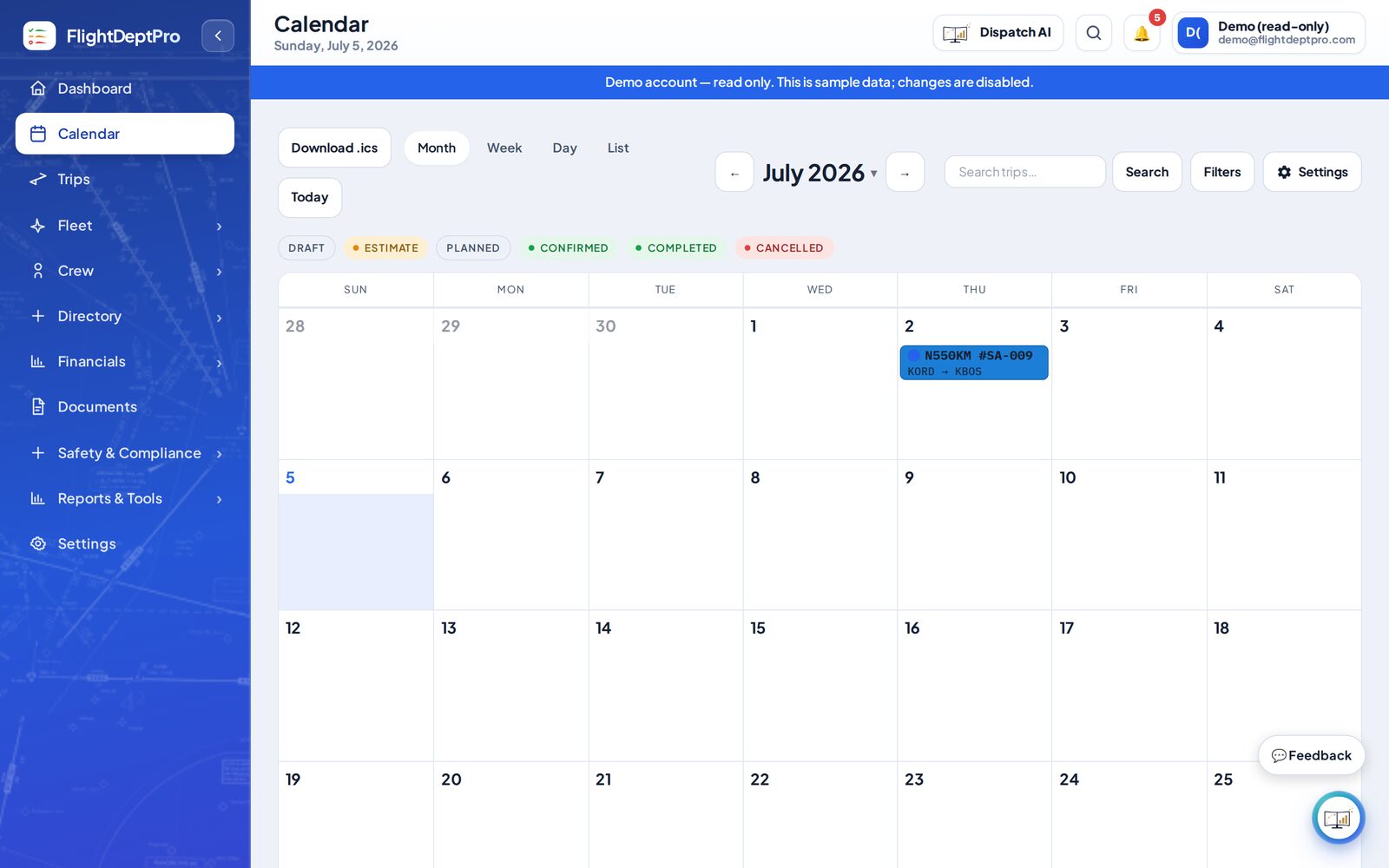
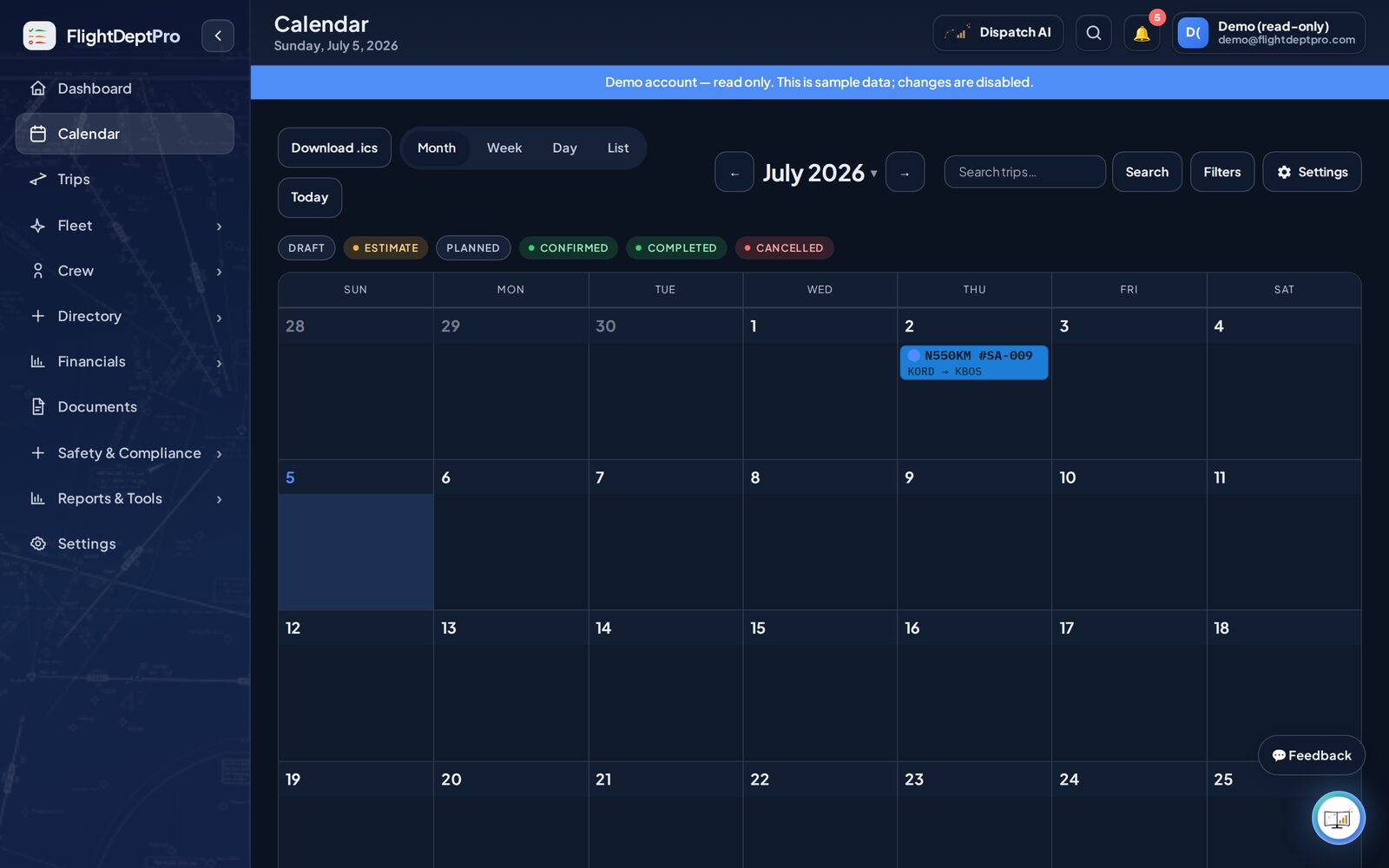
A multi-aircraft calendar for every trip, estimate, and maintenance event — color-coded by tail. Double-book an airplane and it flags the conflict before you do.

HOURSCYCLESLANDINGS

Aircraft & maintenance

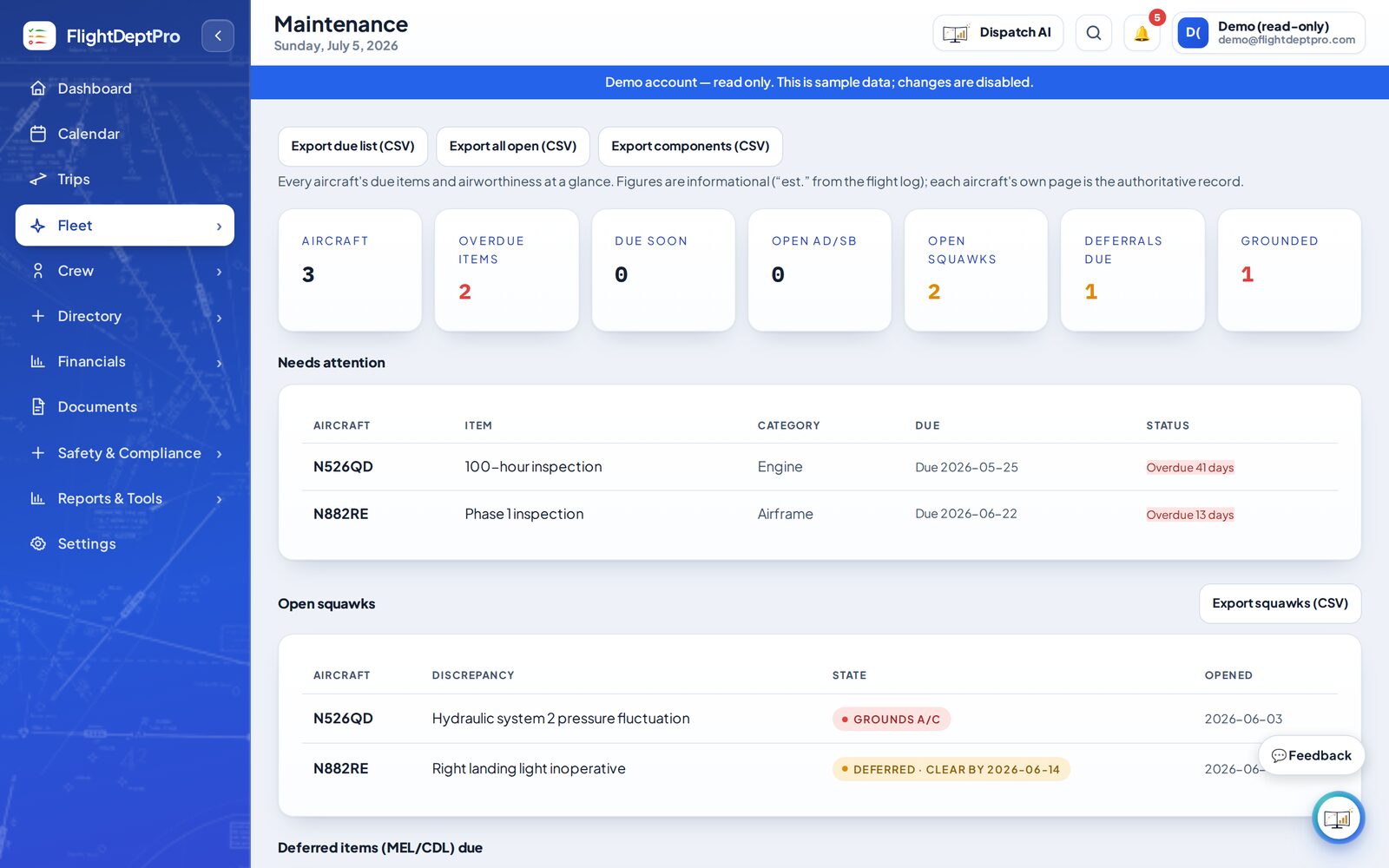
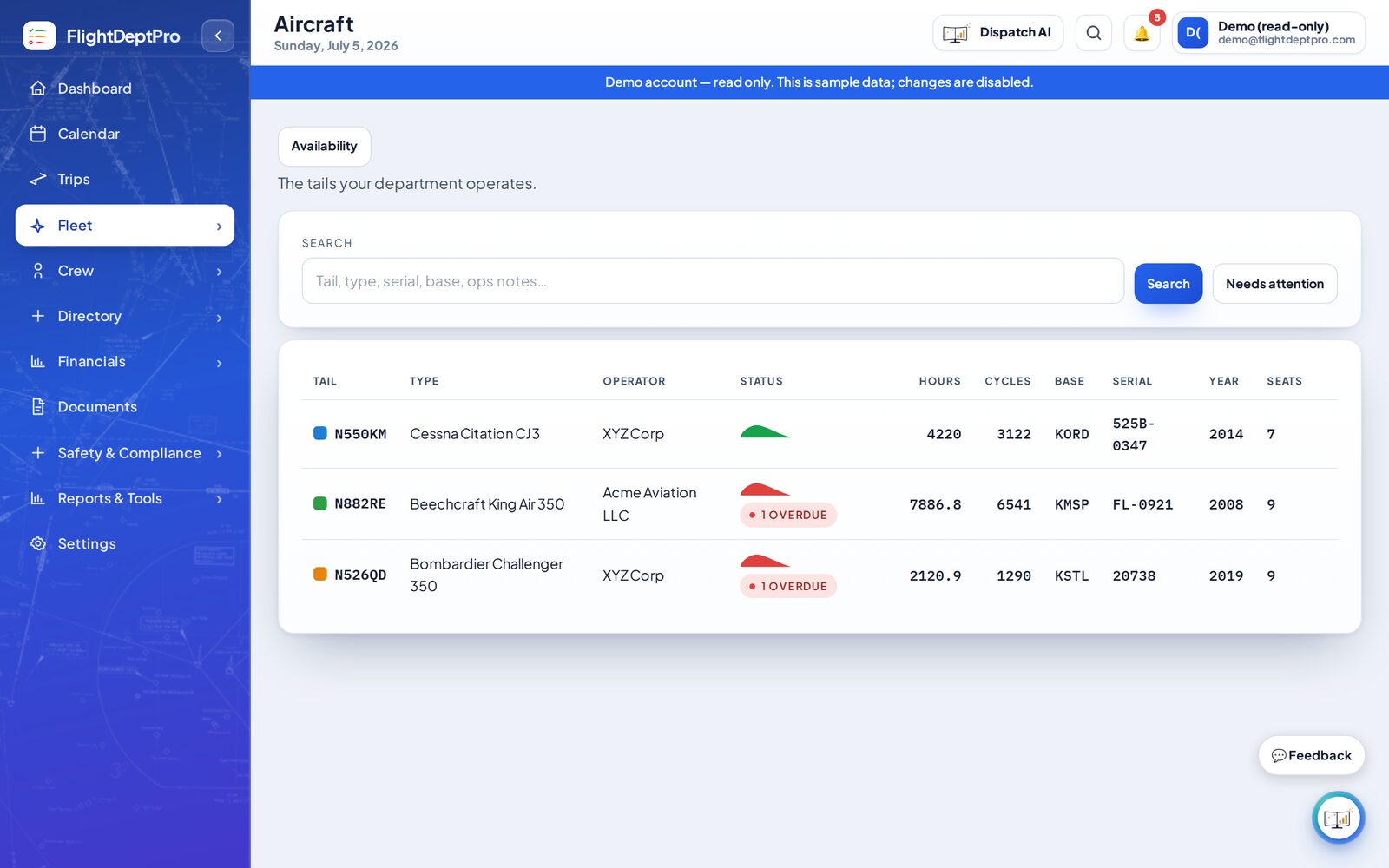
Every tail's times, due items (by date, hours, cycles, or landings), and squawks (MEL A/B/C/D). A live airworthiness status — go, attention, or grounded — rolls it all up at a glance.

MEDICALTRAINING

Crew & currency

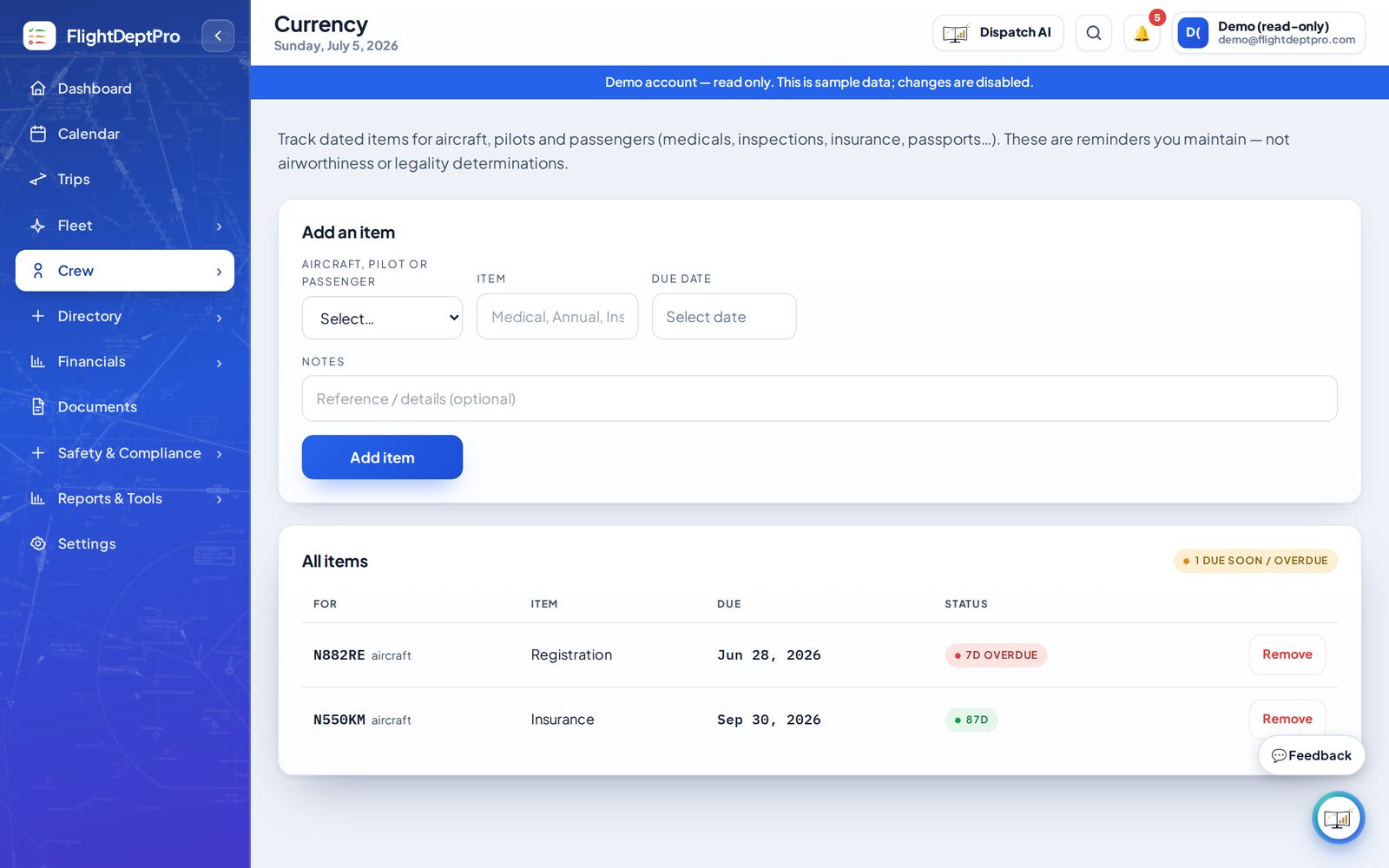
Pilot records, medicals, training, and certificates — with currency tracking that counts down to every expiration. Medical class is derived from the operation: a 135 on-demand PIC tracks to 2nd class, a 91 owner-pilot to 3rd, automatically.

91135.265CASS

Compliance — Part 91 & 135

A living regulatory checklist that adapts to your operation: OpSpecs, duty & rest (135.265/.267), CASS, training programs, drug & alcohol, SMS, and ERP — each with its CFR reference and only the items your rule actually requires.

TRIP 2026-118

Trip building & dispatch

Build a trip leg by leg with crew, passengers, weather, and ground — hotels, cars, catering, and FBO — pulled into one record instead of a dozen inboxes.

FORE-FLIGHTFUEL BURN

Flight planning

Nav logs with time, distance, and fuel burn, plus the trip's fuel and cost — built from your aircraft's real numbers, and exportable to ForeFlight.

WORLD FUELCAA

Contract fuel

Upload your weekly World Fuel and CAA contract prices and see the cheapest member rate for any airport — gated to the tails that actually carry each membership.

OWNERMONTH-END

Owner & trip reporting

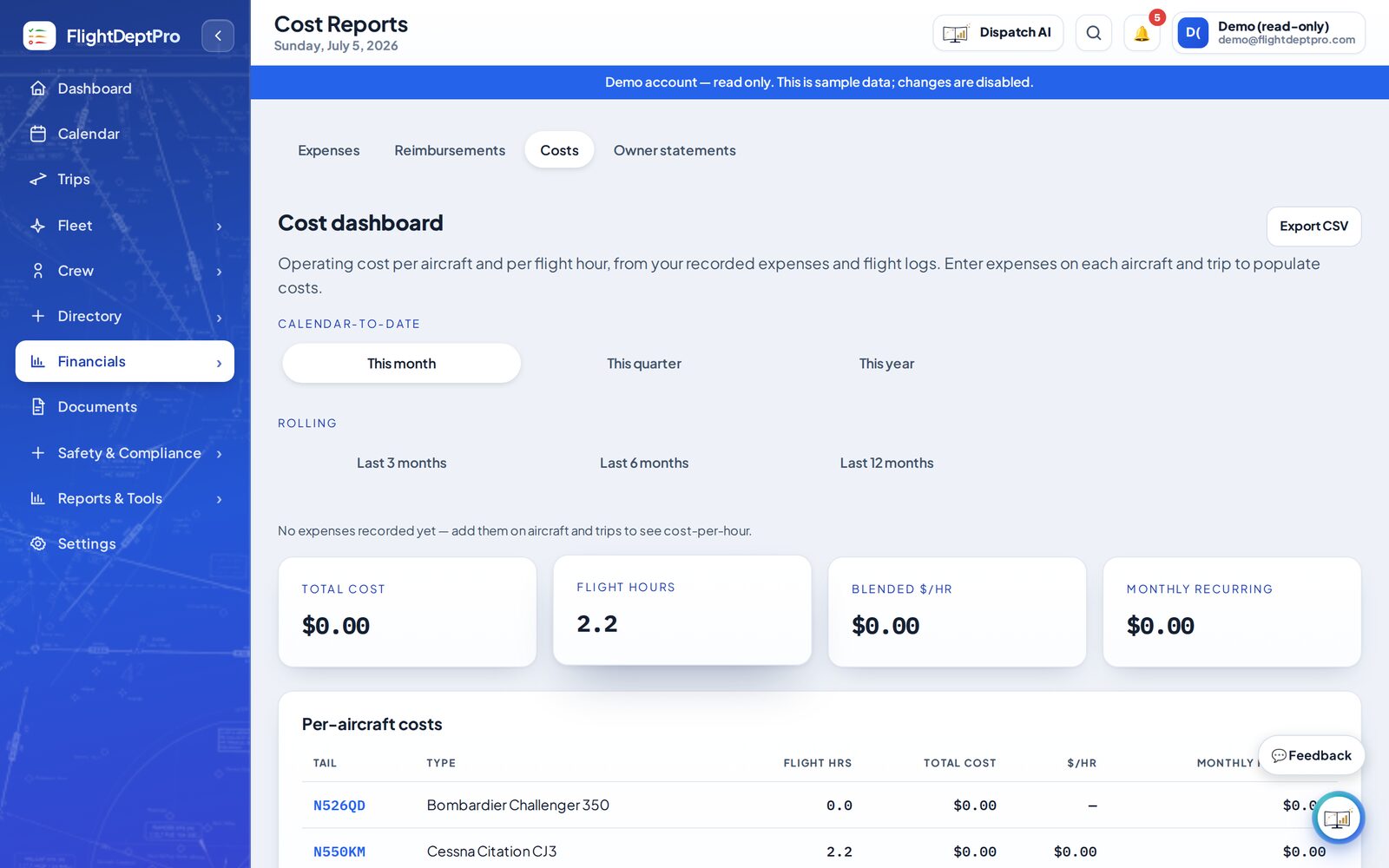
Categorize trips and generate owner-ready cost summaries and month-end bundles — organized the way your owners and accountant actually want them.

AI WATCHYOU DECIDE

Your AI co-worker

An assistant that knows your whole operation — it spots an expiring medical or inspection early, chases the document, drafts the trip sheet, and tells you it's done. You stay in command; it does the legwork.

See it in action

The real app, not a mockup.

Actual screens from the live demo. Click through it yourself — no sign-up, nothing to install.

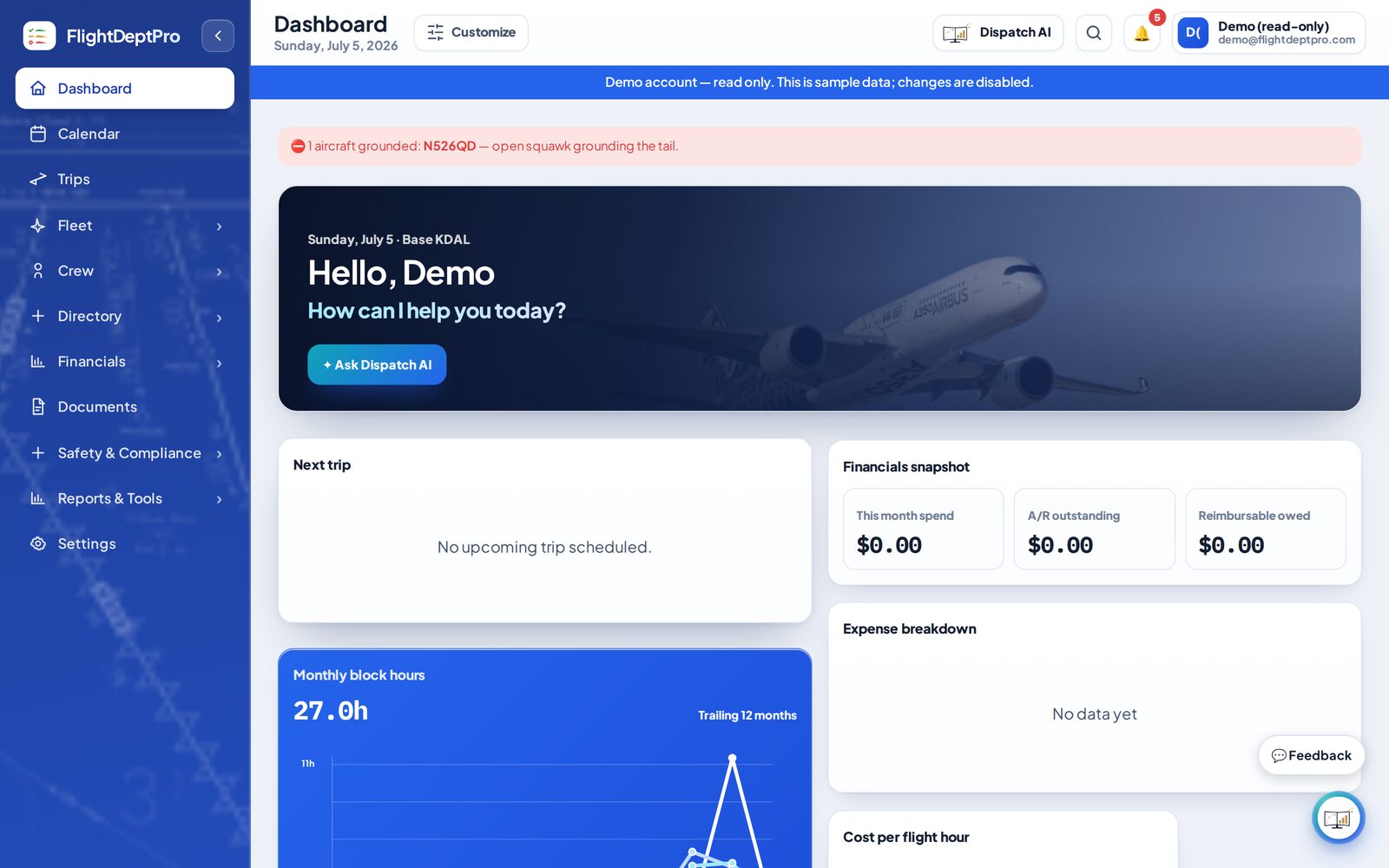
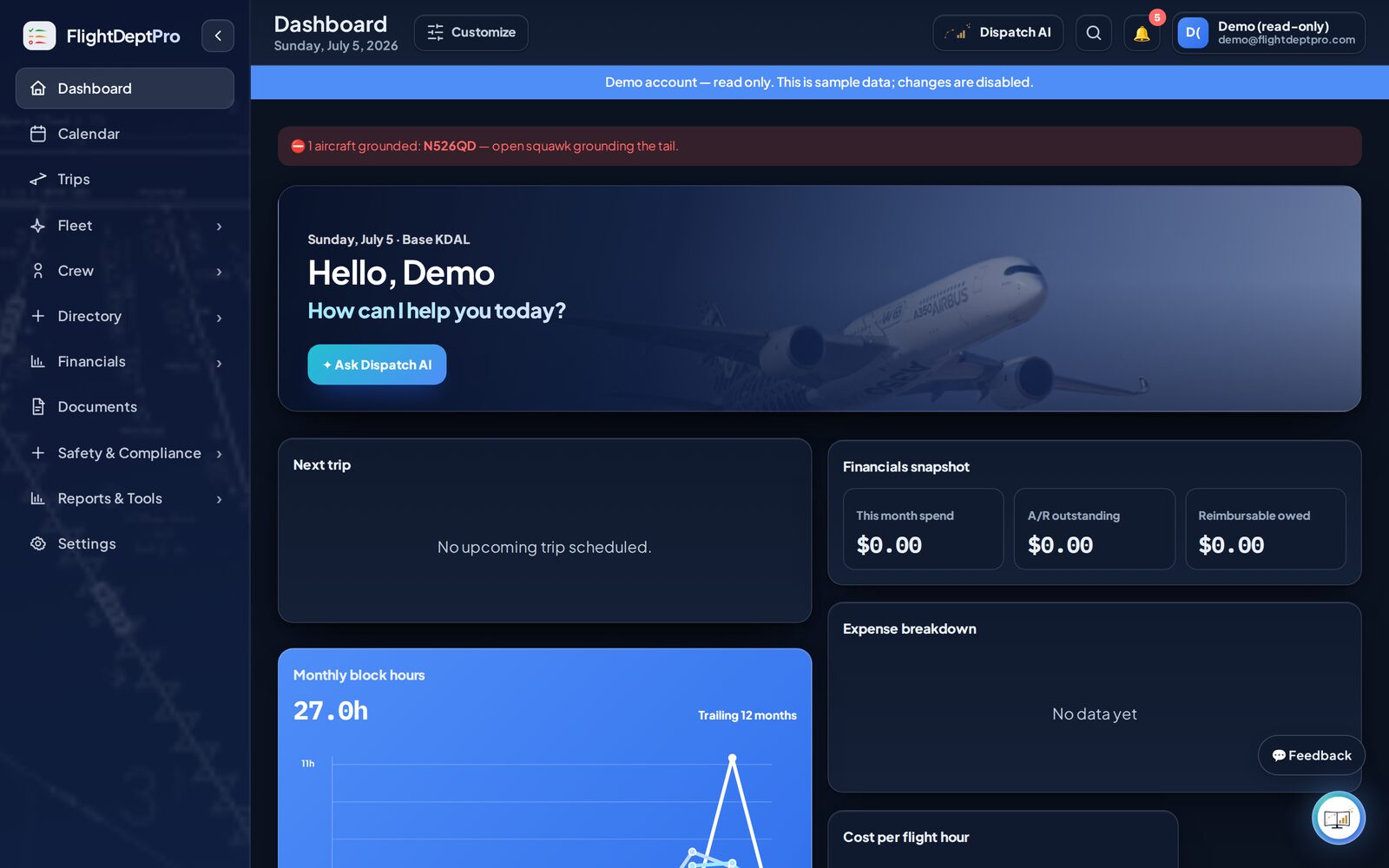
Dashboard showing fleet status and action items
Dashboard — every action item, due date, and grounded tail in one place
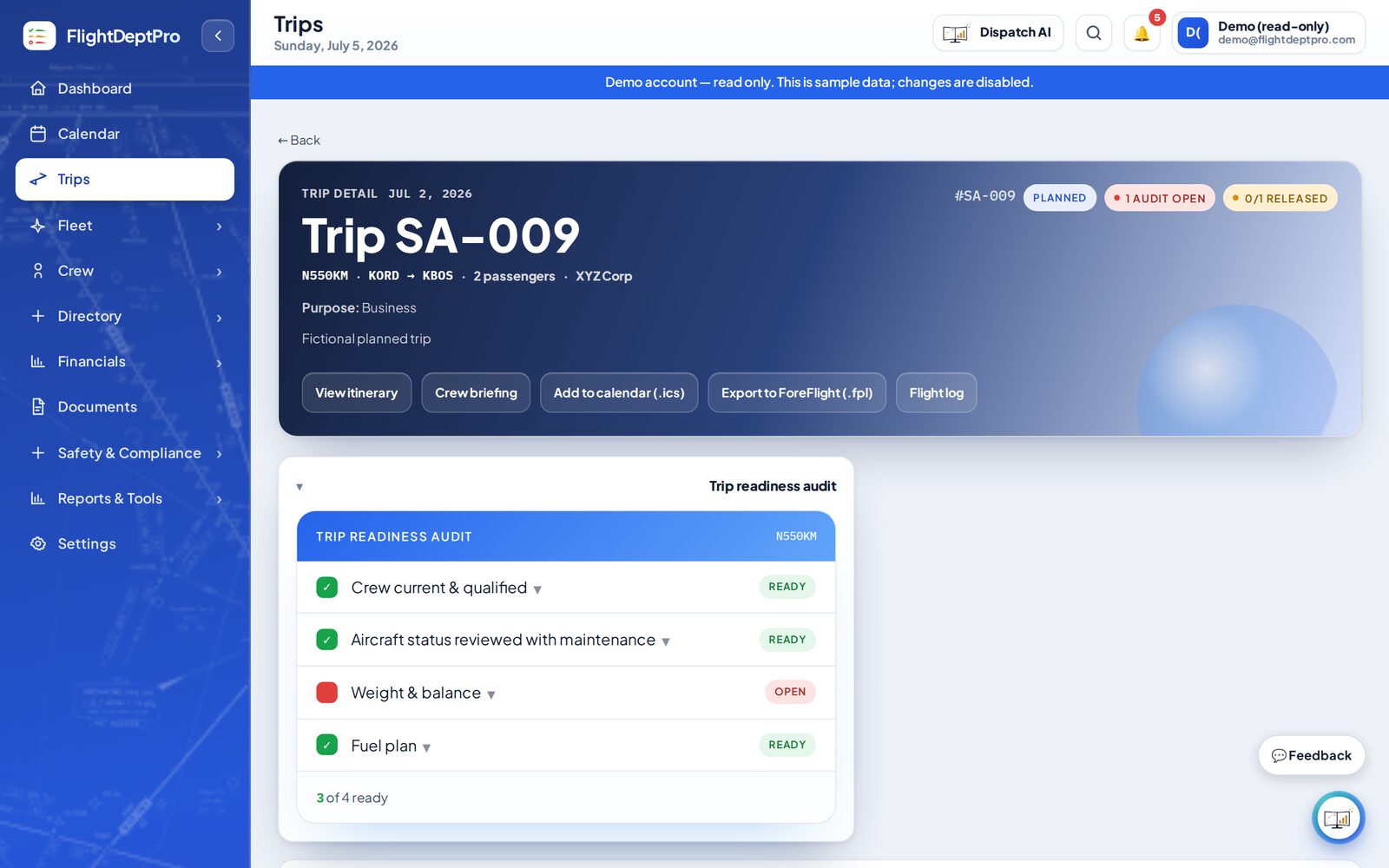
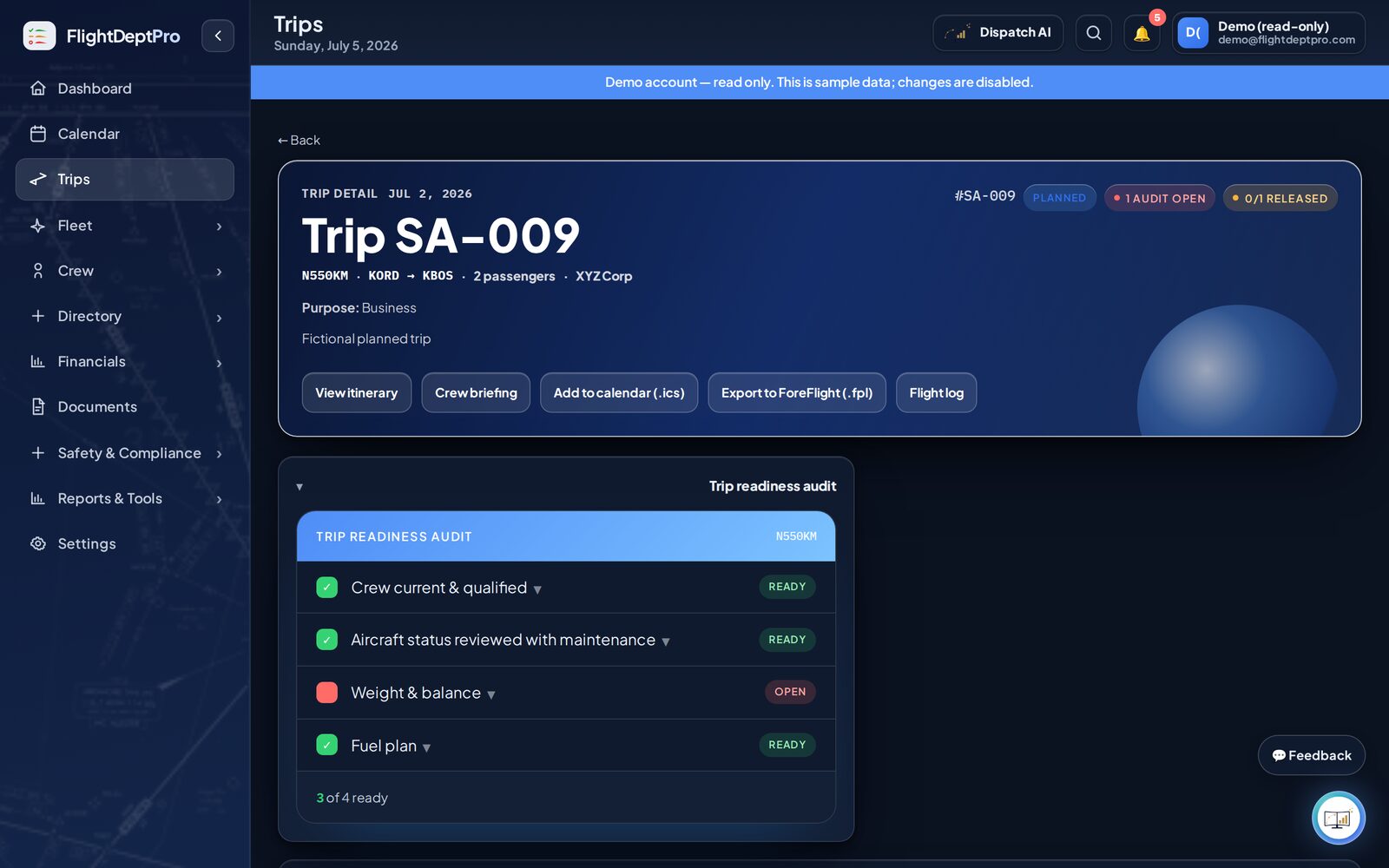
Automatic trip readiness audit
Automatic trip readiness — crew, aircraft, W&B, fuel
Multi-aircraft scheduling calendar
Multi-aircraft calendar, color-coded by tail
Maintenance and squawk tracking
Maintenance, squawks & MEL tracking
Crew currency and medical tracking
Crew currency & medicals — counts down to every expiration so nothing lapses
Cost reporting and analytics
Owner-ready costs and utilization reporting
Aircraft profile and status
Aircraft profiles with live status by tail
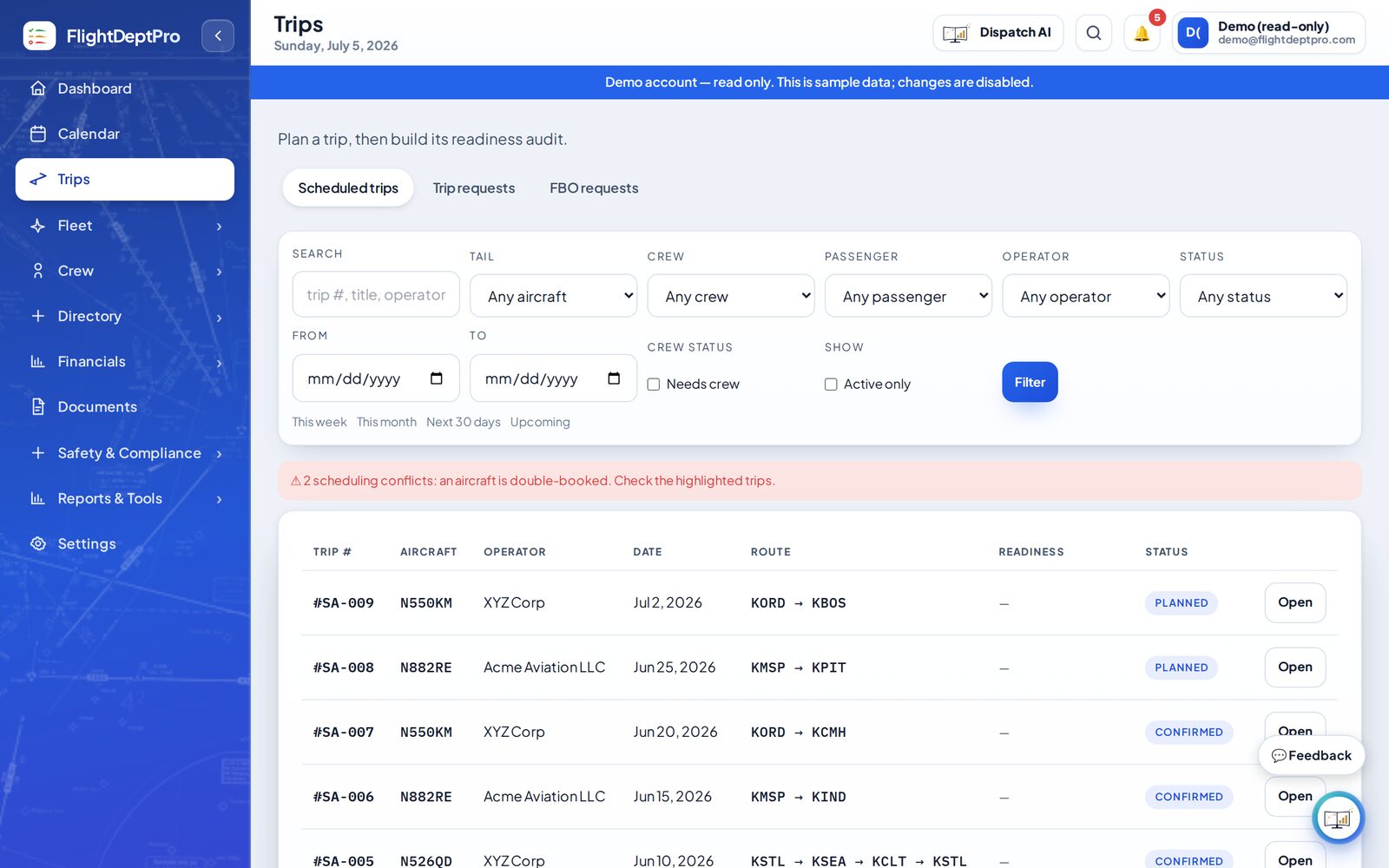
Trips list and dispatch status
Trips, estimates, and dispatch status in one queue
Dark mode

Looks great at 2am, too — full dark mode.

Late-night release reviews keep the same contrast, status language, and real operational context.

Dark mode dashboard
Dark mode calendar
Dark mode trip detail
How it works

From scattered to one system, in three steps.

FlightDeptPro doesn't change how you run your department — it gives you one place to run all of it.

01

Set up your department

Add your aircraft, crew, and operators once. FlightDeptPro becomes the single system of record for the whole operation.

02

Run it day to day

Schedule trips, track maintenance and currency, build dispatch, look up fuel, and generate owner reports — all in the same place.

03

Stay ahead of problems

It watches every expiration, due item, and scheduling conflict and flags them early — so they're handled in advance, not discovered at the ramp.

Operating principle

The system proposes. You decide.

FlightDeptPro is built to make one capable manager more reliable, more standardized, and harder to surprise — an assistant that does the legwork and flags the gaps. It organizes information and surfaces problems early; it doesn't make airworthiness, regulatory, or operational-control decisions. Those stay with the operator, the PIC, and your mechanic, exactly where they belong.